Baking and rebaking
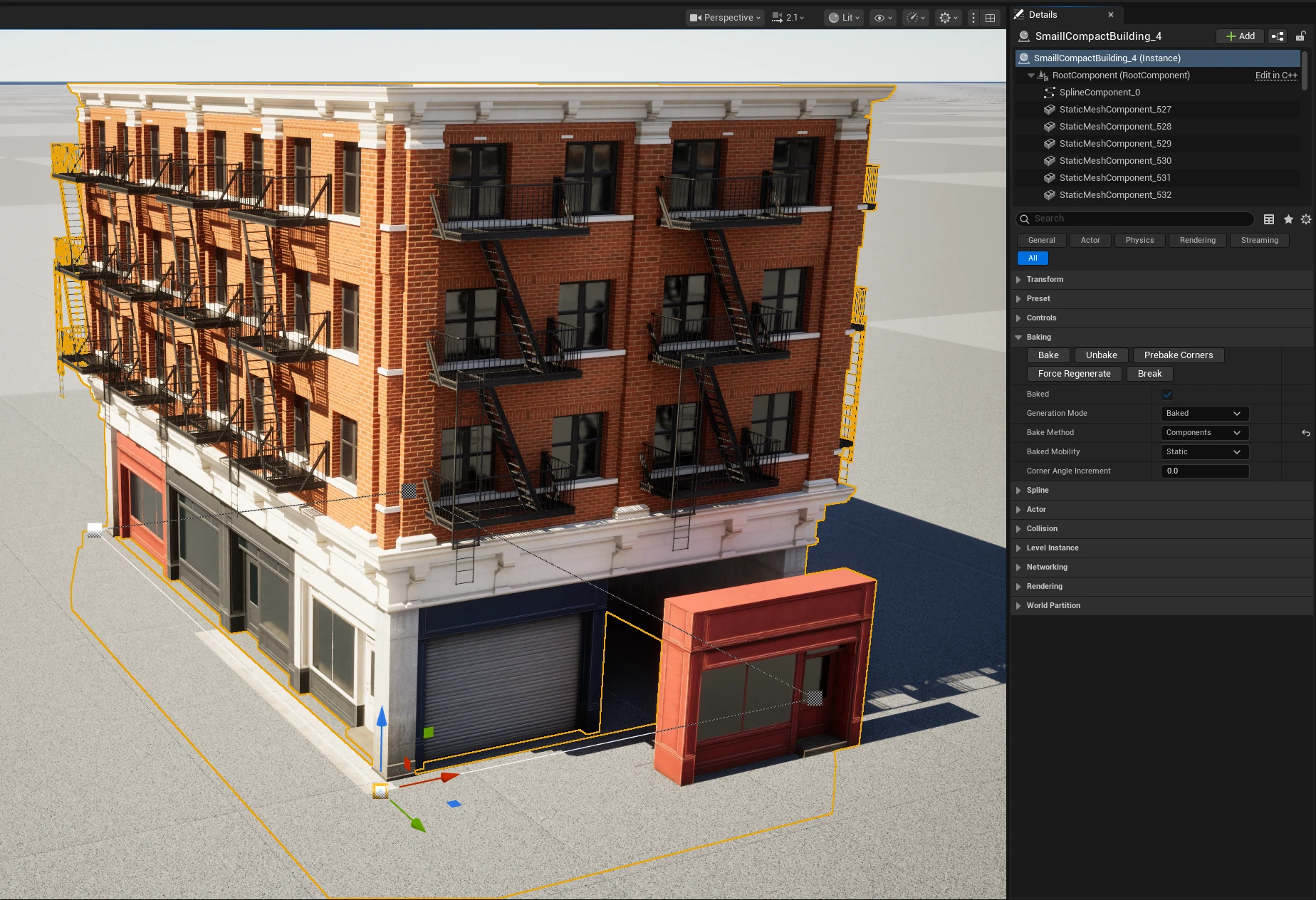
Baking is reversible. It replaces generated preview/runtime output with persistent editor components or assets while the Spline Architect actor remains the source of truth.
Commands
| Command | Scope |
|---|---|
| Bake/Rebake Connected | Refreshes selected roots and connected Wall stacks. This is the normal production command. |
| Unbake Connected | Restores spline-driven editing for the connected selection. |
| Bake Unbaked | Bakes only unbaked Spline Architect roots in the level. |
| Rebake All | Refreshes every compatible root. Use after a shared preset change only when the scope is understood. |
| Unbake All | Restores all baked roots to generated editing. |
| Actor Bake / Unbake buttons | Operate on one placed actor. Prefer connected commands for hierarchies. |
Automatic unbake
When an authored change would make persistent output stale, Spline Architect automatically unbakes the affected output and regenerates an editable preview. It does not silently commit a new production bake. Review the result and run Bake/Rebake Connected.
Changes include relevant actor properties, preset rows, spline topology, connected hierarchy, custom pieces, and Boolean inputs. If a baked actor appears unchanged after an edit, check whether you edited the shared row, an overridden value, or the actor you intended.
Method and mobility
| Setting | Guidance |
|---|---|
| Components | Choose when each piece must remain an individual StaticMeshComponent. |
| Instanced | Default balance for repeated assets; groups identical meshes and supports instance custom data. |
| Hierarchical Instanced | Choose for large repeated sets that benefit from per-instance LOD/culling. |
| Static mobility | Best default for environment output and baked lighting. |
| Stationary / Movable | Use only when later transforms or gameplay require them. |
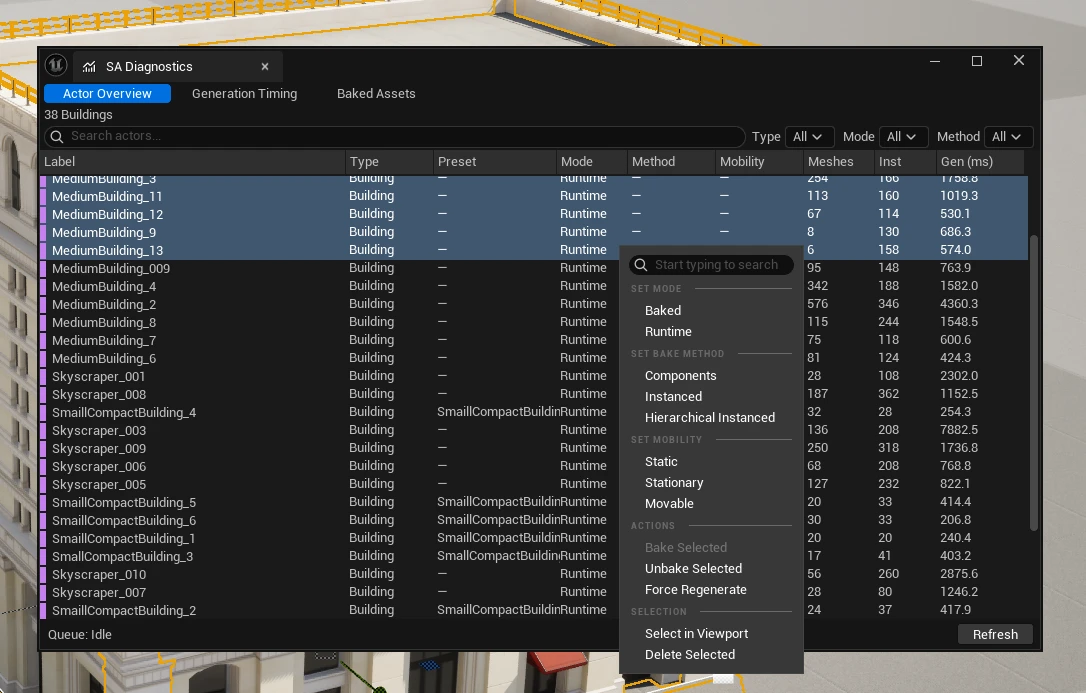
Bulk Set Generation Mode, Set Bake Method, and Set Mobility commands apply a consistent configuration to the current selection. Mixed selections show an indeterminate state rather than guessing.
Corner variants
Prebake Corners generates reusable corner meshes for the current wall angles. Corner Angle Increment rounds nearby angles to reduce unique assets; 0 inherits the Project Settings value. Lower increments preserve exact architecture but increase asset count.
Lightmaps
When Generate Lightmap UVs on Bake is enabled, Spline Architect creates lightmap UVs for baked mesh assets. Resolution derives from project or per-actor texel density, rounds to a power of two, and stays within the supported range. Set Component Lightmap Resolution on Bake applies the result to components.
Use Lumen-only projects may disable generated lightmap UVs. Static/GPU Lightmass output should keep them enabled and use the Lightmap Tool to repair source assets that need independent control.
Diagnostics and baked asset registry
Open Spline Architect → Diagnostics.
- Actor Overview lists actor type, generation/bake state, preset, seed, component counts, triangles, and timing. Columns can be hidden.
- Baked Assets lists registry entries, category, source, usage state, and triangle count. Filter by category/usage or search by name.
- Context actions select actors, set generation mode, set bake method, bake/unbake selected actors, and inspect assets.
Never delete an apparently unused baked asset only from the Content Browser without checking Diagnostics and Unreal referencers. Conversion/export assets are independent and may be referenced outside the current level.