Boolean
Boolean combines child Static Mesh and Spline shapes into one cutter. It can subtract intersecting geometry or cull complete overlapping components.
Shape
| Control | What it does |
|---|---|
| Boolean UV Scale | UV tiling for the preview dynamic mesh. |
| Spline Extrude Distance | Distance a spline cutter extrudes along its up direction. Make it tall enough to pass through every target. |
| Materials | Read-only materials gathered from child meshes for preview. |
| Boolean Mesh Component | Read-only combined dynamic cutter generated from child Static Mesh and Spline components. |
Targets
| Control | What it does |
|---|---|
| Auto Detect Targets | Finds overlapping Spline Architect actors by bounds. It is bypassed while Target Actors is non-empty. |
| Target Actors | Explicit target list; when populated, only these actors are affected. |
| Affect Floors / Affect Roofs / Affect Walls | Selects which generated systems participate. Walls includes wall pieces, Custom Pieces, and posts. |
| Wall Mode | Boolean Subtract cuts intersecting mesh volume; Cull removes overlapping generated components entirely. |
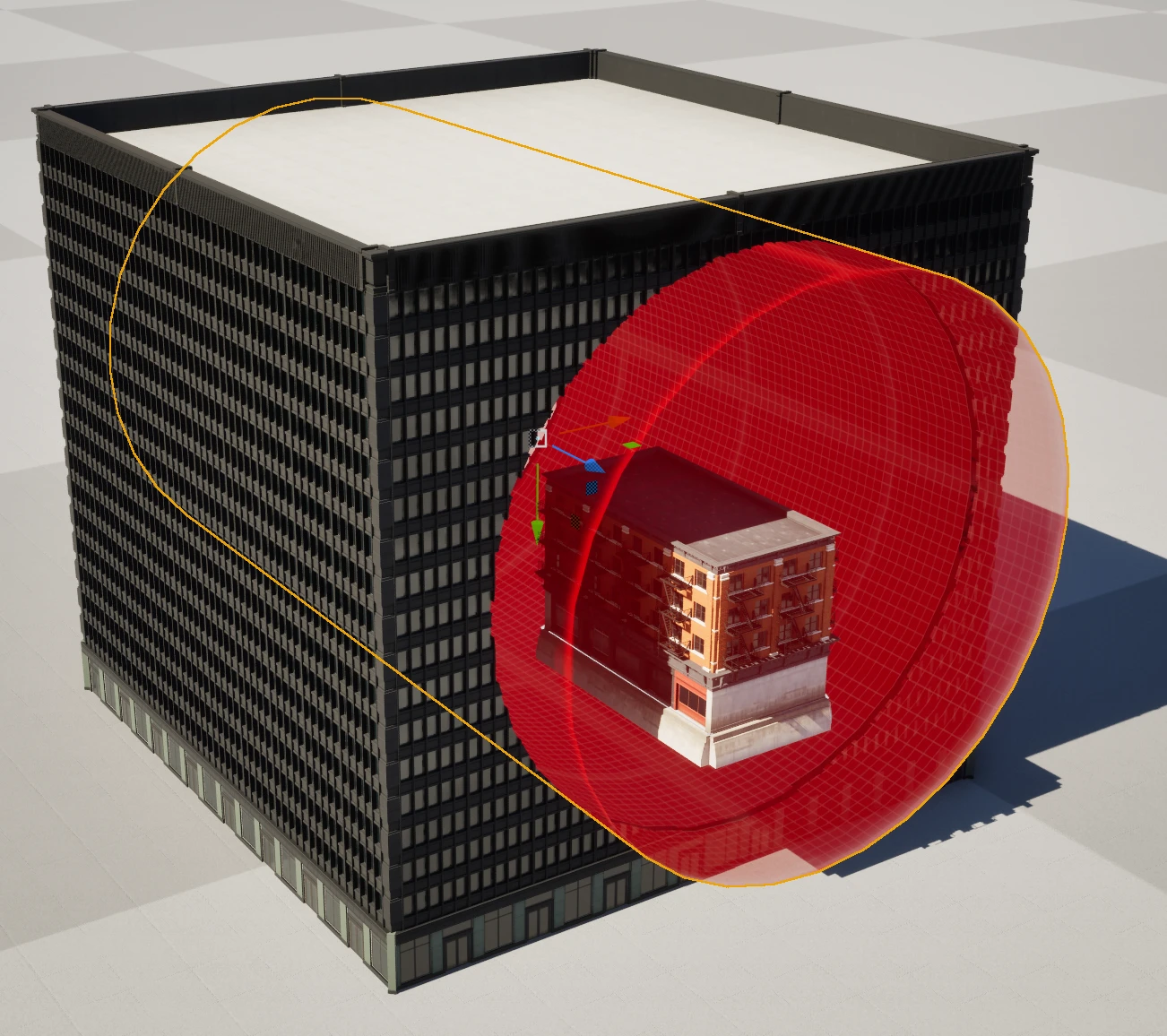
Build a cutter
- Place a Spline Architect Boolean.
- Add one or more Static Mesh Components or Spline Components as children.
- For a spline shape, draw a closed loop and increase Spline Extrude Distance beyond the target height.
- Leave Auto Detect Targets on for a local cutter, or populate Target Actors for strict control.
- Enable the affected output types and choose Subtract or Cull.
Subtract is suited to openings and shaped cuts. Cull is faster and more predictable when the intended result is to remove complete repeated pieces. Baked output remains safe: an authored Boolean change causes affected generated output to unbake before it is rebuilt.