Building
A Building is a saved Wall stack that rebuilds itself on any footprint you draw. Edit the preset once and every placement follows; edit one placement's overrides and only it changes.
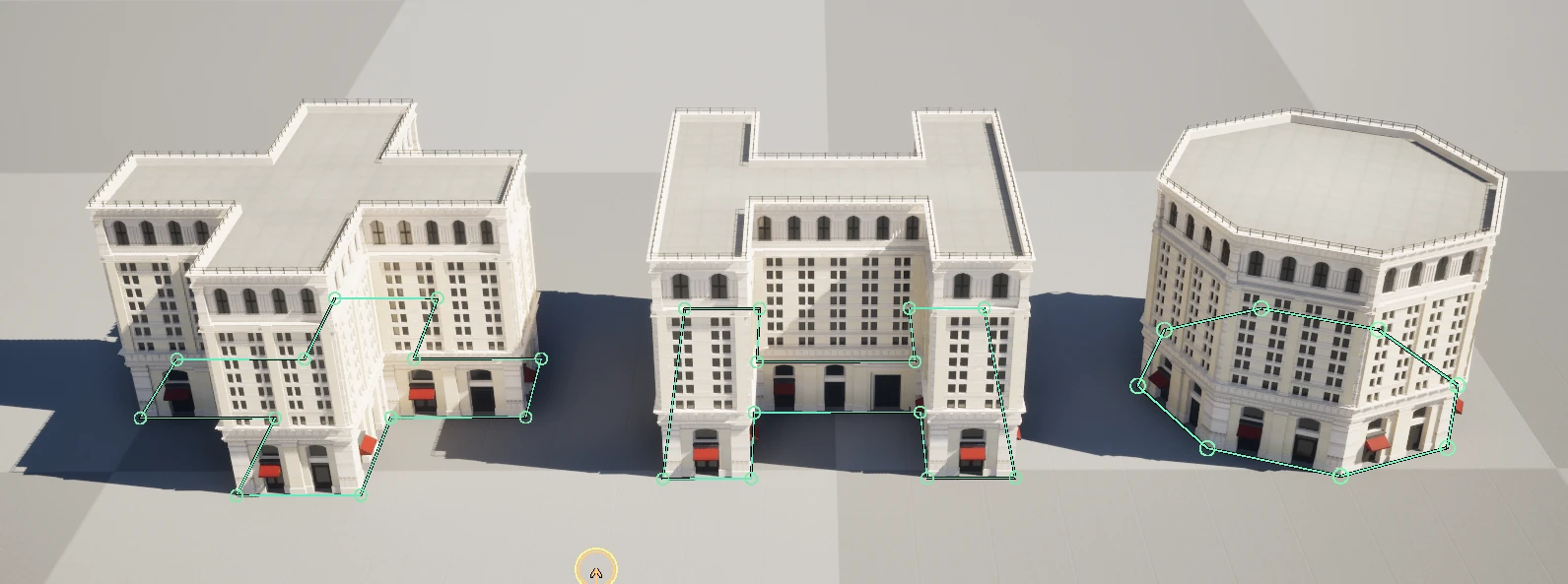
Preset and controls
| Control | What it does |
|---|---|
| Data Table Building Preset | Selects a Building Preset row. Disabled while baked. |
| Rename Actor on Building Preset Selection | Renames the actor to the row name. |
| Building Preset | Inline hierarchy used when no DataTable row is selected. Its Preset Tags classify the Building and its Walls array defines the generated hierarchy. |
| Save Preset | Saves the effective Building configuration as a DataTable row. |
| Seed | Controls random floor ranges and downstream Wall randomization. -1 resolves randomly; non-negative values repeat. |
| Grid Size / Auto Gridify | Defines local spline snap cells and optional automatic snapping after edits. |
| Booleans to Use | Explicit cutters for generated floors, roofs, and walls. |
| Reset Transform / Center Transform | Normalizes or recenters the actor while preserving its path. |
| Force Regenerate | Rebuilds the generated Wall hierarchy. |
| Break | Decomposes the Building into editable connected Wall/child output, then removes the Building actor. |
Preset Tags
Preset Tags is an array of exact Name values such as Small, Residential, or Industrial. Tags are lightweight classification metadata: they do not change geometry by themselves.
The Building actor receives its Building Preset tags. Every component generated by the Building also receives those tags; components produced by a Wall layer additionally retain that precise Wall Preset's tags. A Building does not inherit Wall tags at actor level.
Changing presets removes stale tags previously applied by Spline Architect while preserving unrelated Actor Tags you authored yourself.
Tags also drive filtered Building pools and generated-piece filtering in SA PCG.
Building Preset → Walls
Every Wall entry exposes:
| Control | What it does |
|---|---|
| Wall ID | Unique stable identifier inside the hierarchy. |
| Parent Wall ID | Parent layer; None makes this a root/ground layer. |
| Source Type | Data Table references a Wall Preset row; Inline embeds a full Wall Preset. |
| Data Table Preset | Wall row used when Source Type is Data Table. |
| Use Parameter Overrides / Parameter Overrides | Changes selected Wall values without editing the shared row. |
| Use Random Floor Range | Chooses a repeat count between Min Floors and Max Floors from the Building seed. |
| Min Floors / Max Floors | Inclusive range for randomized stacking. |
| Inline Wall Preset | Full Wall setup used when Source Type is Inline. |
Spline and baking
The Building shares the Wall's Multi Spline Mode, Union Z Mode, Mirror Mode, Invert Mirror, and Apply Mirror to Spline controls. Baking exposes Baked, Generation Mode, Bake Method, Baked Mobility, Corner Angle Increment, Lightmap Texel Density Override, Bake, Unbake, and Prebake Corners.
Use Baked mode for placed environments. Unbake is the reversible operation that keeps the Building actor. Break goes further - back to individual Walls - and pairs with Convert to Building as the art-direction round-trip: break, adjust the walls one by one, collapse back into a Building whose inline preset carries the changes. The shared preset row never notices.